For bookkeepers & firms that keep clients' books · QuickBooks Online
Stop downloading statements and ticking lines in QuickBooks.
Every month: download each client's statements, check every line against the register, add what's missing. Nexora Recon does that part. It asks for exactly the statements it still needs, checks every line against QuickBooks Online, and hands you the entries ready to approve. And for every client, a QuickBooks health check: everything that needs your attention, in one list.
Demo login: demo@nexoratechnologies.co · password NexoraDemo2026 · sample data, no sign-up
QuickBooks health, for every client
Everything in each client's file that needs your attention.
- Uncategorized and misposted transactions, so nothing sits in Ask My Accountant for months.
- Accounts that are behind, and exactly which statements are missing, back to the last time each account was reconciled.
- Overdue invoices and unpaid bills, with who owes what and for how long.
- Old uncleared items and balance differences, explained in plain English with the likely cause.
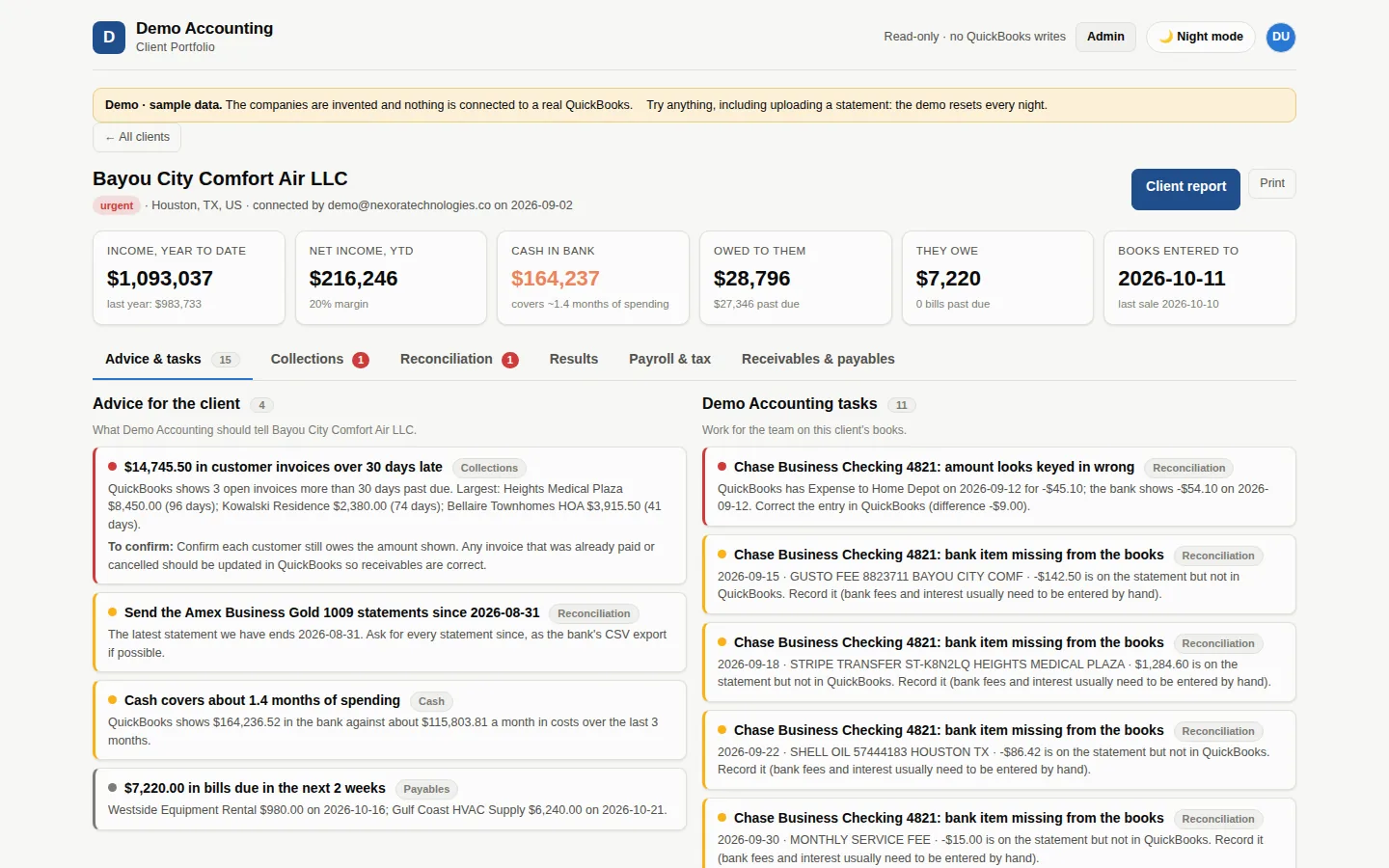
- Advice for the client and tasks for your team, ranked by what matters most.
- One list across all your clients, so you see which files are clean and which need work this week.
How it works
Three steps, and only one of them is yours.
Connect QuickBooks
One click per client company. No developer app and no setup on your side.
Upload the statement
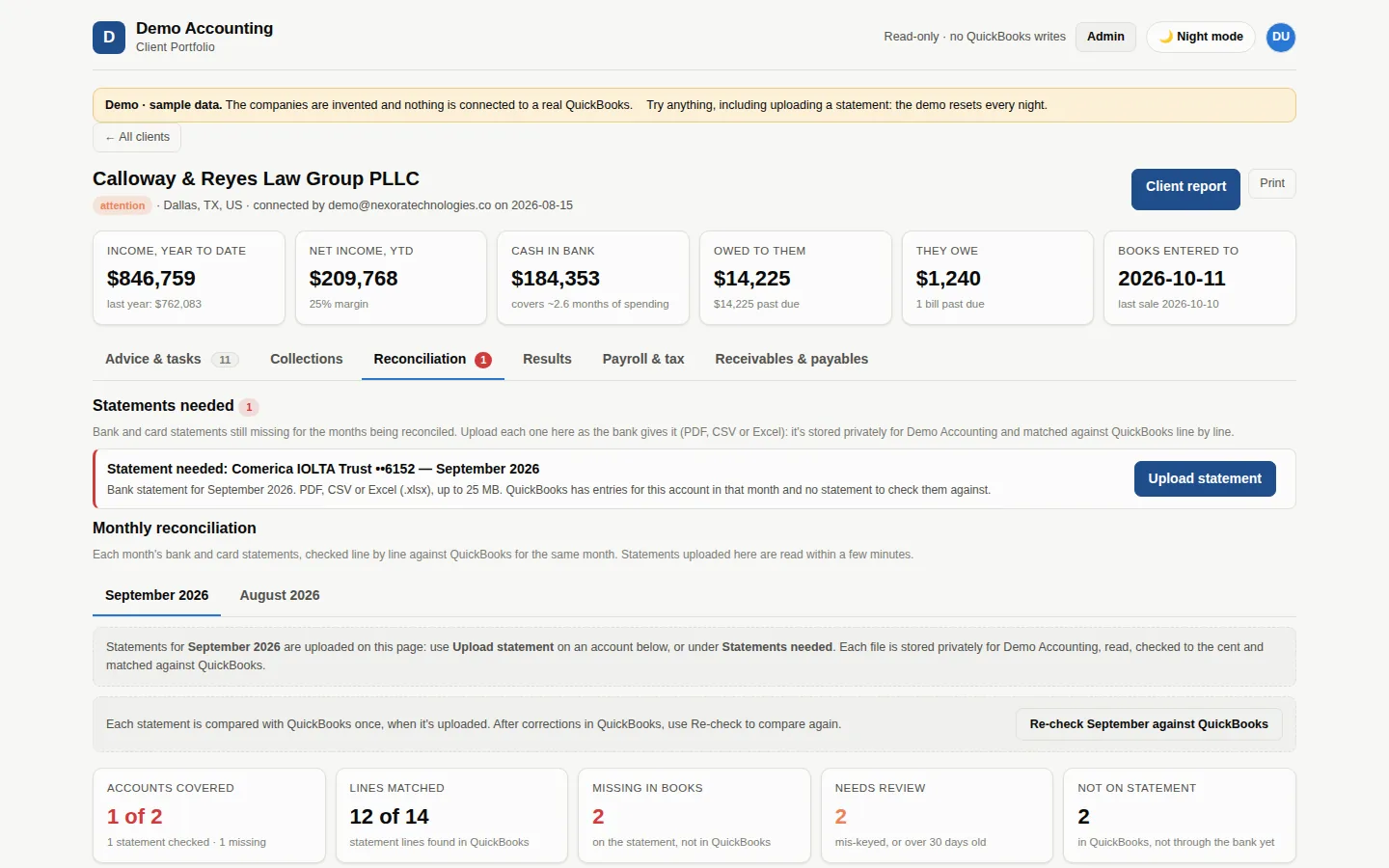
The app tells you exactly which statement it's missing ("Chase Checking ••4417, September") and you drop the PDF or CSV right there. No shared drives, no folders to name.
Review what it found
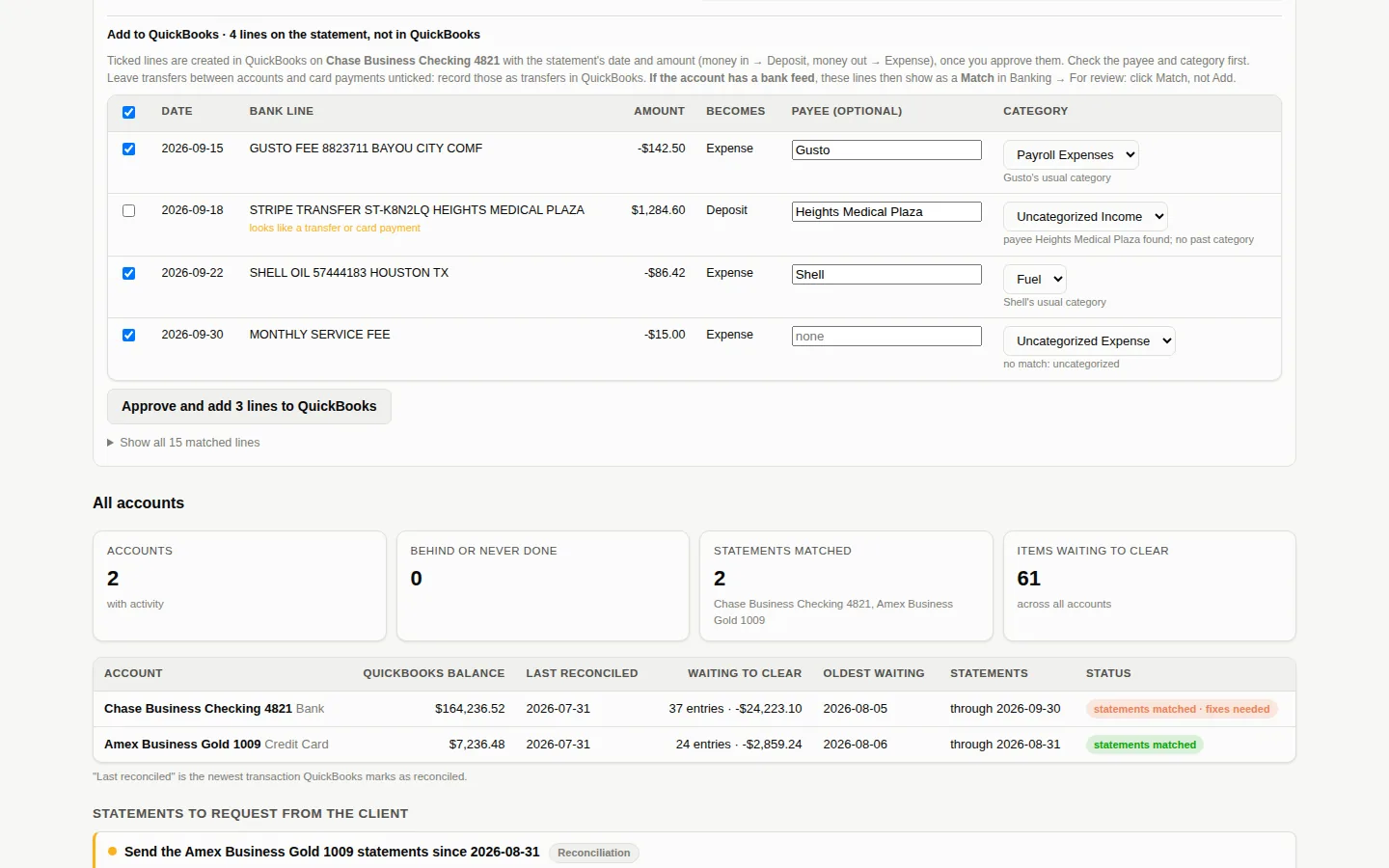
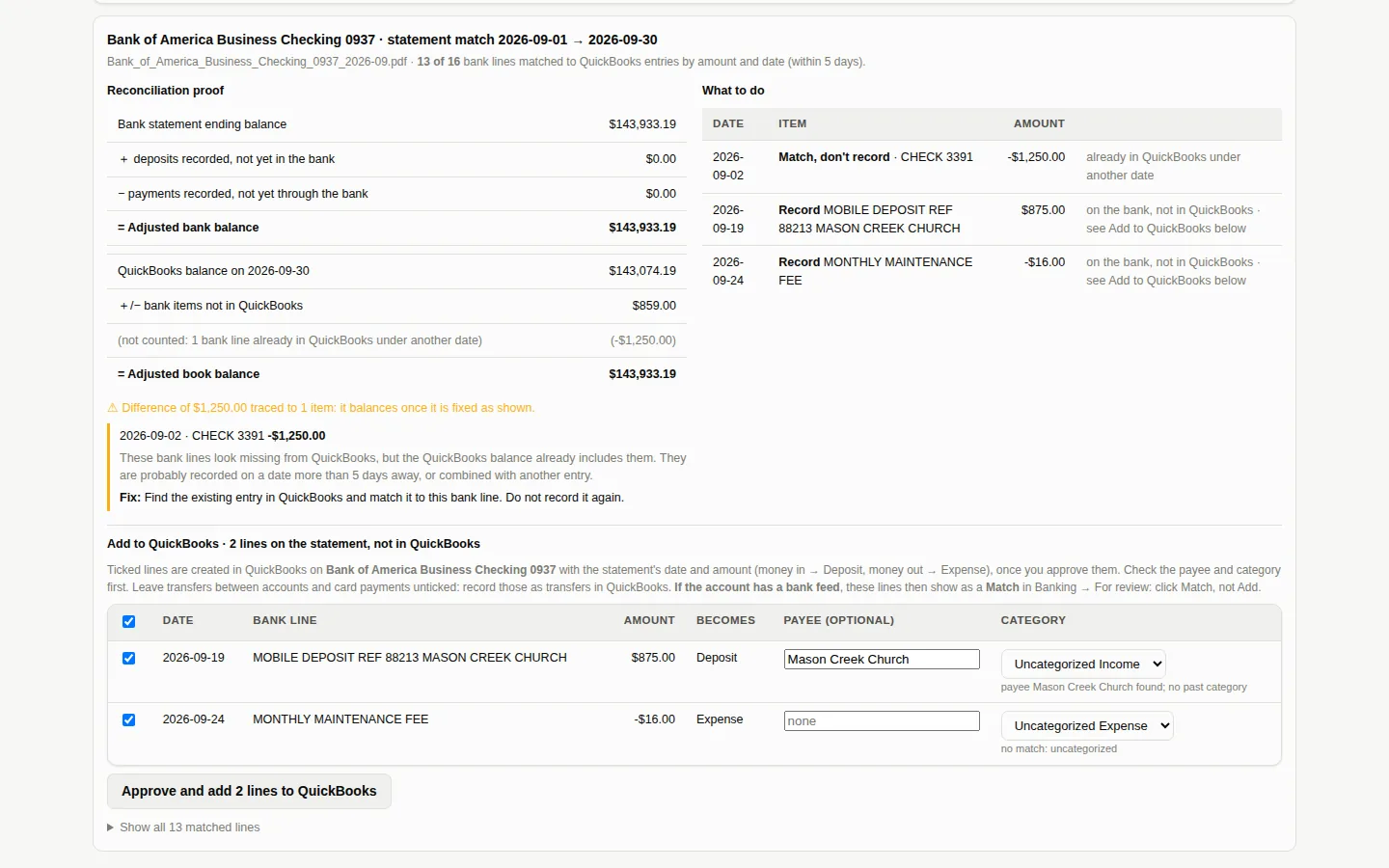
Every line is cross-checked against the books. Missing transactions come with the entry ready to add; you approve before anything is written.
What you'll see
Differences explained, not just flagged.
Why firms switch
Your clients' books, current every month, without the grind.
- Hours back every month. No more ticking statement lines one by one: that stops being your job.
- Nothing slips through. Every statement line is checked against the books, to the cent.
- You stay in control. QuickBooks is only read until someone on your team approves a change.
- Up to date every morning. New statements are reconciled overnight, not at quarter-end.
- Healthier client files. Uncategorized items, stale receivables and old open items show up as plain-English to-dos.
- Private by design. Your firm gets its own isolated workspace and sign-in. Statements are stored encrypted in a private vault, never in a shared drive.
- Take on more clients. Add a client and it's covered the same day, without adding hours.
- Local support. A team in Houston, Texas, in your time zone.
client companies reconciled with it at Marketium, the accounting firm we built it with. It runs there every day, on real books, before it runs anywhere else.
Pricing
Try it free. Then one simple price per company.
Minimum 10 companies ($190/month). The AI that reads statements and proposes matches is included.
- Unlimited bank and credit card accounts per company
- Daily statement-to-QuickBooks reconciliation
- Suggested entries, approved by your team before posting
- Health recommendations for every file
- In-app statement uploads, encrypted storage
- Your own workspace in minutes, plus Houston-based support
7 days on up to 10 of your client companies, free. No card. You only continue if it saves you time.
That's what a few hours of staff time costs. Reconciling 20 companies by hand usually takes far more than that every month.
Free 7-day trial
See it reconcile 10 of your clients. Free, for 7 days.
Sign up with your firm's email address and your private workspace is ready in about 5 minutes. Connect up to 10 client companies to QuickBooks yourself, upload their statements, and see every difference it found. If it's worth it, we set up your plan for the rest of your clients. If not, you owe nothing.
Prefer to talk first? Leave your details and a person (not a bot) replies within one business day.
Questions
The ones firms ask first.
Does it change anything in QuickBooks on its own?
No. It reads QuickBooks to do the comparison. The entries it suggests (expenses, deposits, transfers and credit card payments) are only created after someone at your firm approves them in the app, and it never edits or deletes existing entries.
Which QuickBooks versions work?
QuickBooks Online (including Accountant). QuickBooks Desktop isn't supported.
Which banks?
Any. Upload the monthly statement as PDF or CSV; scanned PDFs work too. Every statement is checked so that opening balance plus lines equals the ending balance before it's used.
Where is our data kept?
In your firm's own isolated workspace on AWS (US), with its own sign-in. Statements are encrypted and private; no one at another firm can reach them.
How long does setup take?
About 5 minutes. Sign up with your firm's email, enter the code we send you, and your workspace is created. You connect each client company to QuickBooks with one click and invite your team from the app.
What does the free trial include?
7 days, up to 10 of your client companies, all their bank and card accounts, the full app. No charge and no card. Fees only start if you tell us to continue.
What does it cost after the trial?
$19 per QuickBooks company per month, with a 10-company minimum ($190/month). The AI processing is included. Need more companies? We add them to your plan.
Is there a contract?
No long-term contract: month to month, cancel with 30 days' notice. You pay for the number of client companies on your plan (minimum 10), and we add more whenever you need them.